Business Website Guide
How to Choose the Right Website Design for Business
Choosing the right website design for business starts with one simple question: what should a visitor do after landing on your website? Once that is clear, your layout, pages, images, buttons, speed, and SEO choices become much easier.
Read this before you hire anyone or start building. This guide explains website design for business in a practical way, so you can check your own website plan, compare design examples, and avoid a layout that only looks good but does not help visitors take action.
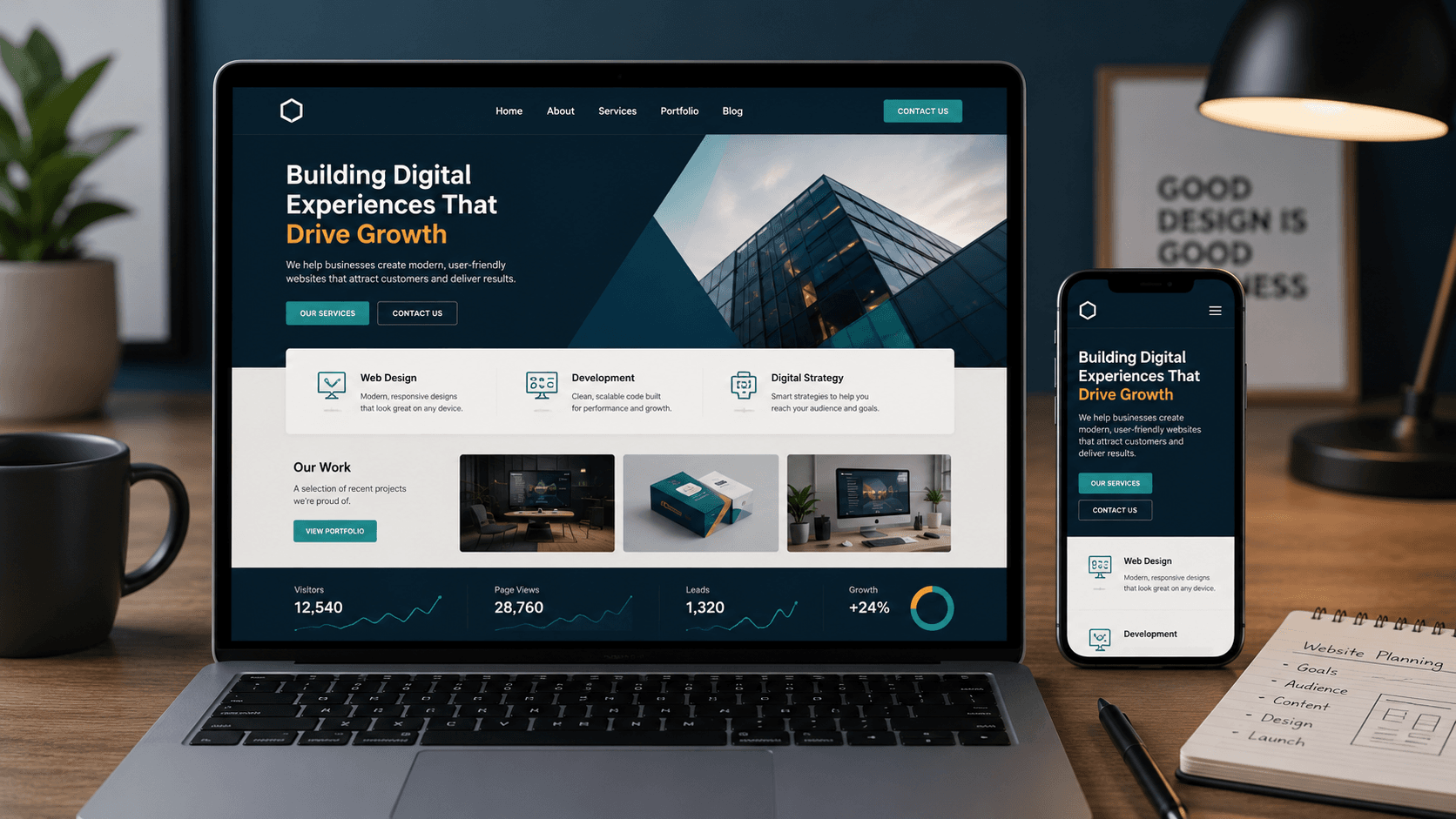
What You Will Learn
Website Design for Business Is About Clarity First
A business website is not just a digital visiting card. It should explain what you do, build trust, answer common questions, and make contact easy. Therefore, the right website design for business should be planned around real visitor behavior.
Clear Message
Visitors should understand your service, location, and value without reading too much.
Easy Action
Call, WhatsApp, contact, booking, menu, pricing, or enquiry buttons should be simple to find.
Mobile Comfort
Most local business visitors check websites on phones, so the mobile layout matters from the first screen.
Proof of Work
A portfolio, photos, examples, reviews, or case-style sections help visitors trust the business faster.
Simple SEO Base
Pages, headings, image alt text, internal links, and page speed help search engines understand the site.
Clean Structure
The website should feel organized, not overloaded with sections that do not guide the visitor.
01 Goal
Start Website Design for Business With One Main Goal
Before choosing colors, fonts, or page sections, decide what the website should do. A restaurant may want menu views and calls. A hotel may want enquiries. A local service provider may want form submissions. Because of that, website design for business should begin with the main action you want from visitors.
Ask these questions first
- Should visitors call, WhatsApp, book, enquire, or visit a physical location?
- Which page should they open after the home page?
- What information do they need before contacting you?
- What makes your business easier to choose?
If one page has too many goals, visitors may pause. Instead, keep one main action on each important page.
They should understand the business quickly.
They check services, proof, price range, or examples.
They call, message, enquire, or visit.
02 Layout
Choose a Layout That Matches the Business Type
Every business does not need the same website layout. For example, a cafe needs menu and location access. A villa business needs rooms, gallery, amenities, and enquiry flow. A design studio needs service explanation and portfolio. Therefore, a good website design for business should match the way customers make decisions.
Layout examples
- Restaurant or cafe: food menu, photos, location, timings, call, WhatsApp.
- Hotel or villa: rooms, amenities, gallery, location, enquiry form.
- Service business: problem, service details, work examples, pricing, contact.
- Local shop: products, address, opening hours, phone, map link.
If the layout does not match how your customers decide, the page may look neat but still feel weak.
03 First Screen
Make the First Screen Clear and Useful
The first screen should explain the business without forcing visitors to scroll too much. In website design for business, this area should include a clear headline, one supporting line, and one or two useful buttons. Also, it should avoid vague slogans that sound nice but do not explain the service.
First screen should include
- Business category or service type.
- Location or area served, if local search matters.
- One short benefit written in plain language.
- Primary button such as Contact, Call, View Portfolio, or View Menu.
- Secondary button only if it helps the decision.
Avoid this mistake: Do not use a headline that sounds creative but does not tell visitors what the business actually does.
Say the business type clearly.
Show the visitor they are in the right place.
Give one strong action button.
04 Mobile
Check Mobile View Before Desktop Details
Many people open business websites on mobile first. They may be checking directions, menu, services, pricing, or contact details. So, website design for business should be planned with mobile comfort in mind. If the phone view feels crowded, the design needs cleanup.
Mobile checks
- Text should be readable without zooming.
- Buttons should be easy to tap.
- Contact links should work on the phone.
- Images should not hide important text.
- Sections should have enough spacing.
- The menu should open smoothly.
Can the visitor understand the page quickly?
Are buttons comfortable for thumb use?
Can the visitor call or message without confusion?
If a business website is hard to use on mobile, it is not ready for real visitors.
05 Pages
Use Service Pages That Explain Things Properly
A website cannot explain every service clearly on the home page. That is why service pages matter. A good website design for business should give each important service or offer enough space to explain what it is, who it is for, what is included, and how to contact the business.
Each service page should answer
- What is this service?
- Who needs it?
- What will the visitor get?
- What examples or proof can they see?
- What should they do next?
06 Trust
Use Portfolio and Real Examples to Build Trust
Visitors often want proof before they contact a business. That proof can come from project examples, screenshots, photos, reviews, or before-and-after explanations. For this reason, website design for business should include trust signals in places where visitors naturally compare options.
What a portfolio should show
- Real website examples or project previews.
- Business type for each project.
- Mobile-friendly layout examples.
- Clear screenshots, not only decorative images.
- Contact button after the portfolio section.
Design
Does it look clean and easy to read?
Purpose
Does it guide visitors toward action?
When reviewing a portfolio, do not only judge colors. Check navigation, content flow, contact buttons, and mobile comfort.
07 Contact
Make Contact Flow Easy on Every Important Page
A visitor should not have to search for your phone number or contact form. In website design for business, every important page should give visitors a clear next step. However, the contact button should feel helpful, not forced.
Useful contact options
- Call button for mobile users.
- WhatsApp button if the business responds there.
- Short contact form for enquiries.
- Map or directions link for local businesses.
- Pricing link if people compare budget before enquiry.
The page explains the service clearly.
They see examples, pricing, or proof.
The action button is visible and simple.
08 Speed
Choose a Design That Loads Fast
Speed is part of user experience. A heavy website can lose attention before the visitor reads anything. So, the right website design for business should use compressed images, limited scripts, clean sections, and a theme setup that does not overload mobile users.
Speed basics
- Use WebP or optimized images when possible.
- Keep the first screen light.
- Do not add unnecessary sliders.
- Use only plugins that support the goal of the website.
- Test mobile speed after publishing.
Avoid this mistake: A page can look impressive in the editor and still feel slow for a visitor on mobile data.
Light Images
Compress images before or during upload.
Clean Pages
Use only sections that help the decision.
09 SEO
Build a Simple SEO Base Into the Design
SEO should not be added only after the design is finished. It should be part of the structure. A smart website design for business uses clear page titles, natural headings, readable paragraphs, image alt text, internal links, and helpful answers to customer questions.
SEO basics to include
- One clear topic for each page.
- Headings that explain the section properly.
- Internal links between related pages.
- Image alt text that describes the image.
- FAQ section for common questions.
- Fast mobile loading and clean layout.
For modern search and answer engines, clear structure matters. When your page answers questions directly, uses natural language, and links to useful supporting pages, it becomes easier for systems to understand the content.
Say what the section is about.
Write for the person first.
Connect the reader to the next relevant page.
10 Mistakes
Common Website Design for Business Mistakes
Many business websites fail because they focus too much on decoration and too little on the visitor journey. Good website design for business should reduce confusion. The page should not make visitors guess where to click or what the business offers.
Mistakes to avoid
- Using a vague headline on the first screen.
- Hiding contact details at the bottom only.
- Adding too many animations that slow the page.
- Using images that do not explain the business.
- Making service pages too short.
- Forgetting mobile checks before publishing.
- Sending every visitor to the same generic contact form.
Can I understand it?
The page should explain the business quickly.
Can I act on it?
The next step should be easy to find.
Give your website to someone who does not know your business. If they cannot explain what you offer in ten seconds, the first screen needs work.
Checklist
Final Website Design for Business Checklist
Use this checklist before you publish or approve a business website. It keeps the design focused on visitors, not only on appearance.
Content and layout
- The first screen explains the business clearly.
- The main action button is visible.
- Service pages answer real customer questions.
- Portfolio or proof sections are easy to find.
- Photos support the message of the page.
Technical and trust checks
- Mobile layout is comfortable.
- Images are optimized.
- Contact links work properly.
- Internal links connect related pages.
- SEO title, meta description, and headings are clear.
Useful pages from Aqua Creative Studio
If you want to compare layouts before planning your own website design for business, these pages can help you see service-specific structure and examples.
Questions
Website Design for Business FAQs
What is website design for business?
Website design for business means planning and building a website that explains the business clearly, helps visitors trust it, and guides them toward a useful action such as calling, messaging, booking, or sending an enquiry.
How do I choose the right website layout?
Start with your business goal and customer journey. A restaurant needs menu and location access, while a hotel needs rooms, gallery, amenities, and enquiry flow. The layout should match how your customers decide.
Why is mobile design important for a business website?
Many visitors open business websites on phones. If the text is hard to read, buttons are difficult to tap, or contact links are hidden, the website can lose enquiries even if the desktop version looks polished.
Should a business website have a portfolio section?
A portfolio section is helpful when visitors need proof before contacting you. It can show project examples, screenshots, work quality, and business-specific design experience.
What should I check before publishing a business website?
Check the first screen, mobile layout, contact buttons, service pages, portfolio links, image speed, internal links, SEO title, meta description, and page readability before publishing.
Final Note
The Right Website Design Makes Decisions Easier
Good website design for business is not about adding more sections. It is about making the next step clear. When the page explains the offer, shows proof, loads fast, works on mobile, and makes contact easy, the website becomes a useful business asset.